
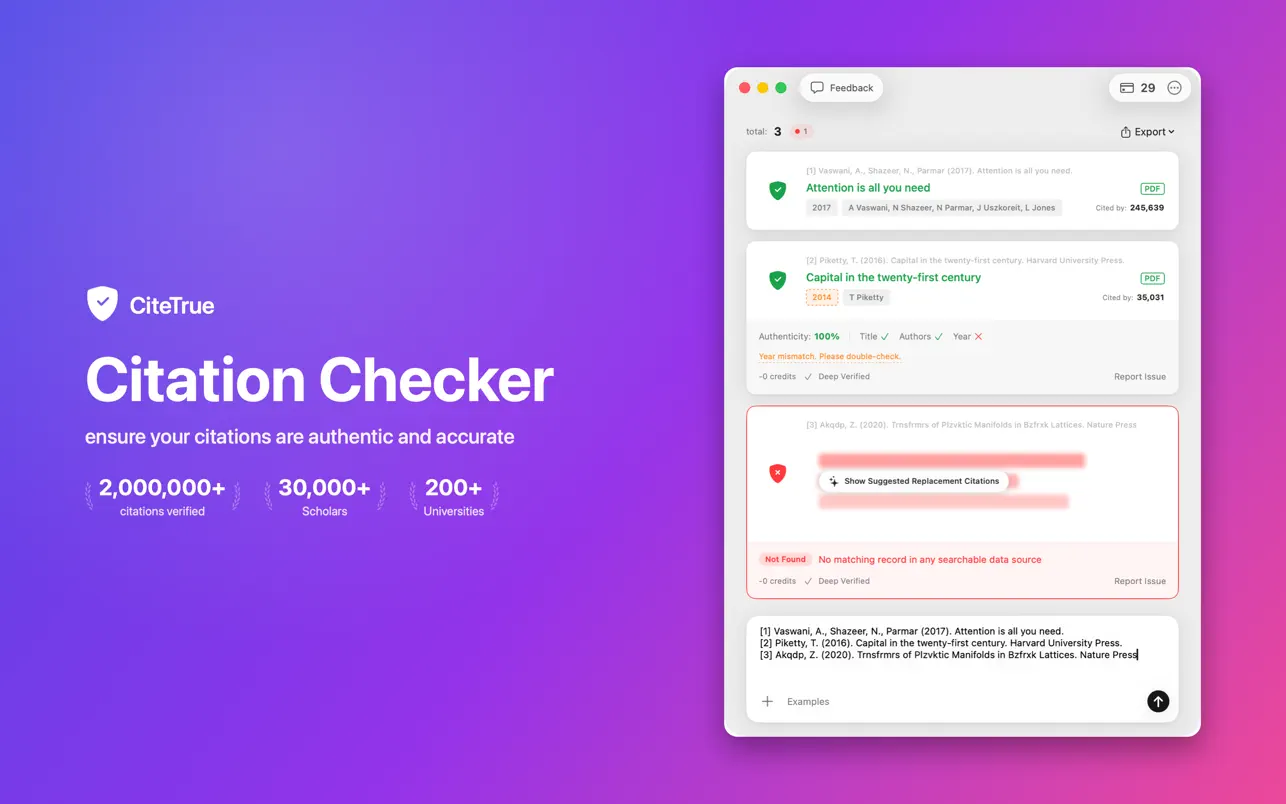
What is the CiteTrue Mac App?
CiteTrue for Mac is a native macOS application that verifies academic citations directly on your desktop. Built for researchers, students, editors, and anyone working with references, it lets you check whether citations are real without opening a browser.
Powered by the same citation verification engine as our web app, the Mac app cross-references your citations against authoritative scholarly databases — including Crossref, OpenAlex, Google Scholar, PubMed, Semantic Scholar, CORE, and arXiv — to confirm they actually exist.
Key Features of the Mac Citation Checker
Native macOS App
A fast, dedicated desktop app that lives in your Dock. Open it anytime to verify citations without juggling browser tabs.
Bulk Verification
Paste an entire reference list, bibliography, or free-form text and verify every citation in one pass.
Tricky Citations, Handled Automatically
Most citations cost 1 credit. Tricky ones that need more data sources and more analysis are handled automatically and can cost up to 5 — nothing to switch on.
Trusted Source Matching
Match citations against Crossref, OpenAlex, Google Scholar, PubMed, Semantic Scholar, CORE, arXiv and more — with confidence scores, DOIs, and direct source links.
How the Mac Citation Checker Works
Download from the App Store
Install CiteTrue for Mac from the Mac App Store. One click, and it's ready in your Dock.
Paste Your Citations
Paste a reference list or any text containing citations into the app, then start verification.
Review the Results
See which citations are verified and which look fake, with confidence scores, matched papers, authors, years, and links to sources.
Who Should Use the CiteTrue Mac App?
- Graduate Students & PhD Researchers — Verify citations in your thesis, dissertation, or literature review before you submit.
- Undergraduate Students — Ensure every reference in your essay or research paper is authentic before submission.
- Academic Staff & Lecturers — Quickly verify student citations or check references in papers under review.
- Journal Editors & Peer Reviewers — Detect AI-generated or fabricated citations in manuscript submissions.
- Anyone Using AI Writing Tools — Verify that citations produced by ChatGPT, Claude, or other AI tools actually exist.
Why Use the Mac App Instead of the Web App?
Both the CiteTrue web app and the Mac app use the same citation verification engine. The Mac app gives you a dedicated desktop experience — always one click away in your Dock, with native performance and no browser required.
| Feature | Web App | Mac App |
|---|---|---|
| Citation Verification | ||
| Native Desktop App | ||
| One Click from Your Dock | ||
| Works Without a Browser | ||
| Bulk Verification | ||
| Export Results | ||
| Free to Start |
Frequently Asked Questions
Is the CiteTrue Mac app free?
Yes, the CiteTrue Mac app is free to download and start using. You get free citation verification credits every day, and your account syncs across the Mac app, web app, and Chrome extension.
What do I need to run the Mac app?
CiteTrue for Mac runs on macOS and is available from the Mac App Store. Just download it, sign in with your CiteTrue account, and start verifying citations.
What citation formats does the Mac app support?
The app supports all major citation formats including APA, MLA, Chicago, Harvard, IEEE, Vancouver, and more. Paste your citations in any format and CiteTrue will verify them.
Can the Mac app detect AI-generated citations?
Yes. CiteTrue's verification engine is built to detect fake or AI-hallucinated citations produced by tools like ChatGPT, Claude, Gemini, and other AI assistants. If a citation doesn't match any real paper in our academic databases, it gets flagged.
Do I need a CiteTrue account to use the Mac app?
Yes, a free CiteTrue account is required. You can sign up in seconds, and your account syncs between the Mac app, web app, and Chrome extension.
Start Verifying Citations on Your Mac
Join thousands of researchers and students who use CiteTrue to keep their academic citations authentic. Download the Mac app today.