
Paper Draft
Enter your topic. Paper Draft searches real academic databases, then writes your section with every sentence tied to a source you can open — in APA, MLA, IEEE and more.
What is Paper Draft?
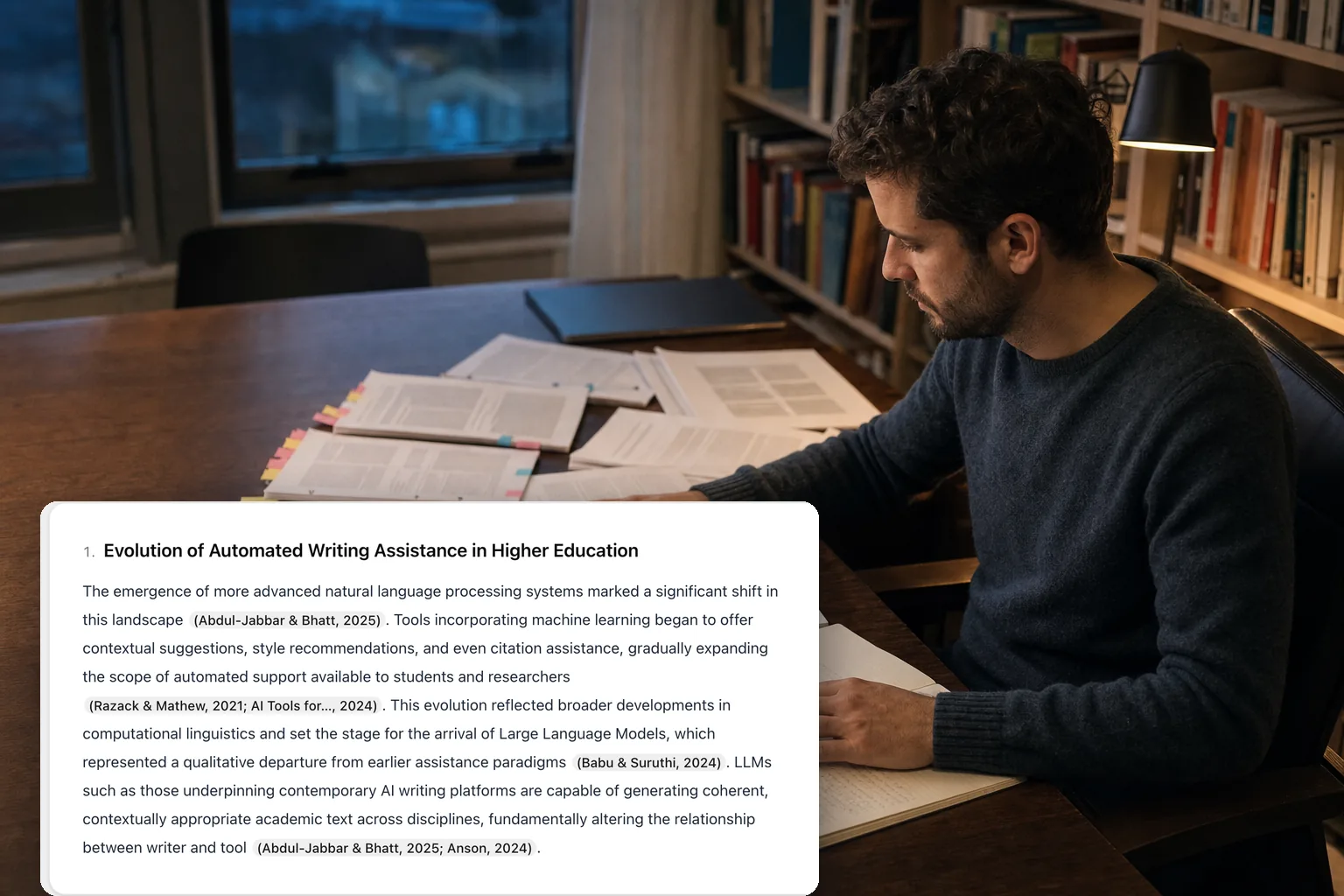
Paper Draft turns a research topic into a sourced draft. You enter the topic of a thesis section, an article section or a literature review; Paper Draft plans a short outline, searches academic databases for papers behind each part, and writes the section with a citation attached to every claim. Each citation points to a record it actually retrieved — a paper with authors, a year, a venue and a link you can open.
That is the difference between Paper Draft and a general chatbot. A chatbot writes fluent paragraphs and then decorates them with references that may not exist. Paper Draft works in the opposite order: it finds the sources first, and the text is only allowed to cite from that list. If nothing in the databases supports a section, it says so instead of filling the gap.
How Paper Draft works
Three steps run for every draft, mirroring a real academic workflow from sources to editor.
- 1
Choose the work type and enter your topic
Pick thesis section, article section or literature review, then describe the topic in a sentence — or paste the paragraph you are working on. Paper Draft drafts a two-to-four-part outline shaped like that kind of work: introduction, conceptual framework and literature review for a thesis, thematic strands for a review.
- 2
Connect sources and settings
For each part of the outline Paper Draft searches Google Scholar, Crossref, OpenAlex, arXiv, PubMed, Semantic Scholar, CORE, ResearchGate and the major publisher databases — IEEE, Springer, Wiley, ACM, Elsevier and ScienceDirect, Cambridge, BMC — ranks the hits by how directly they support that part, and keeps the best. Add your own DOIs to pin references you already trust, choose the citation style and the output language, and decide whether the draft may use open search, your references, or both.
- 3
Review the draft in the editor
Sections stream into the editor with citation chips beside the text. Click a chip to see the source, switch between APA, MLA, Chicago, Harvard, IEEE, Vancouver, AMA and Turabian without regenerating, and check the sentence-level report: how many citations, how many sources, and which sentences still have no source attached.
Who uses Paper Draft
Undergraduate theses and final projects
A first draft of a chapter section that already has its literature attached, so the writing starts from evidence rather than from a blank page.
Master's and PhD theses
A source-backed skeleton for each chapter keeps a long thesis manageable; Paper Draft supplies the skeleton, you supply the argument.
Academics writing articles
Draft background and related-work sections fast, with real citations in the target journal's style, then refine.
Literature reviewers
Get the field organised by theme with the papers behind each strand, which is a faster way into an unfamiliar area than guessing at search terms.
Paper Draft examples
Two short examples of what goes in and what comes back.
Your topic
The impact of AI on academic writing — thesis section, APA.
What Paper Draft returns
A three-part section — Introduction, Conceptual framework, Literature review — each paragraph citing papers retrieved from academic databases, formatted as (Author, Year), with a reference list and a report of any sentence left without a source.
Your topic with your own references
Sleep deprivation and memory consolidation in adolescents — literature review, Vancouver, plus two DOIs of papers your supervisor recommended.
What Paper Draft returns
A thematic review that cites your two pinned papers alongside the sources it found, numbered in order of appearance, ready to download as Markdown, PDF or BibTeX.
Why writing with sources is the slow part
- Hunting for references is the slowest stage of academic writing. Researchers routinely lose hours scrolling Google Scholar for one defensible source, then settle for whatever appeared on page one.
- General-purpose chatbots make this worse. Asked to write with citations, they invent plausible papers with real-sounding authors and dead DOIs. Paper Draft searches actual databases and cannot do this, because the text may only cite records it found.
- Database coverage is uneven. Crossref indexes what publishers register, OpenAlex and Semantic Scholar add preprints and open-access copies, PubMed and the publisher databases cover their own fields, Google Scholar catches the rest. Searching one index at a time quietly hides work that exists.
- Wrong or missing citations carry real cost — rejected submissions, academic-integrity reviews, and corrections that follow a paper for years.
What Paper Draft gives you
- Real papers only. Every citation in the draft points to a record retrieved from an academic database, with a link you can open. If no source supports a section, the section is left empty rather than invented.
- Seventeen academic sources searched for every part of the outline — Google Scholar, Crossref, OpenAlex, arXiv, PubMed, Semantic Scholar, CORE, ResearchGate and the major publisher databases — so discipline coverage gaps do not silently cost you a paper.
- Sentence-level traceability. Each citation is a chip you can click to see the source, and every sentence without one is flagged, so you know exactly where the draft still needs work.
- Eight citation styles and eleven interface languages, plus copy, Markdown, PDF and BibTeX export, so what Paper Draft wrote goes straight into your document and your reference manager.
Paper Draft FAQ
- Is Paper Draft free?
- Yes. Every account gets a daily free allowance of credits, and one draft costs 15 credits. If the outline cannot be built or no sources are found, nothing is charged. No card is needed to start.
- Can Paper Draft invent a source?
- No. The text may only cite from the list of sources it retrieved; any marker that does not match a retrieved record is removed before the draft reaches you. Sentences left without a source are underlined so you can see them.
- Which databases does Paper Draft search?
- Google Scholar, Crossref, OpenAlex, arXiv, PubMed, Semantic Scholar, CORE, ResearchGate and the major publisher databases (IEEE, Springer, Wiley, ACM, Elsevier and ScienceDirect, Cambridge, BMC), queried for every part of the outline. You can also pin your own references by DOI; they are resolved through Crossref.
- Which citation styles and languages are supported?
- APA, MLA, Chicago, Harvard, IEEE, Vancouver, AMA and Turabian, switchable after the draft is written. The draft can be written in any of the eleven interface languages or in the language of your topic, though database coverage is strongest for English-language literature.
- Can I use my own references?
- Yes. Add up to ten DOIs and choose whether the draft may cite only those, only what it finds, or both. Pinned references appear in every section's source list.
- How is this different from the Citation Finder and the Citation Checker?
- Paper Draft starts from a topic and writes a section whose citations are real. The Citation Finder starts from a paragraph you already wrote and finds sources for each claim in it. The Citation Checker starts from references you already have and verifies each one against the same databases.